Glance - Meeting Room Signage
Glance displays real-time room availability and meeting details on a tablet mounted outside every room. Syncs automatically with Microsoft 365 and Teams to eliminate wasted space, missed meetings, and booking confusion.
0 min
Average setup
0%
Real-time sync
Zero
Hardware lock-in
Your meeting rooms are silently killing
productivity.
Without real-time visibility, your team wastes hours on things that should take seconds — finding a room, resolving conflicts, and knowing who's actually in there.
Ghost Bookings
Around 30–40% of booked rooms go unused due to no-shows, making rooms appear occupied despite being available — causing wasted space and frustration.
Room Search Delays
Employees spend minutes searching for available rooms, often moving between floors due to outdated availability, leading to scheduling conflicts and wasted time.
Double Bookings
Calendar accept/reject updates can lag, leading to double bookings and unnecessary confusion around room availability.
Unclear Availability
Employees are forced to interrupt meetings or message colleagues to confirm room availability, causing delays and disrupting productivity.
Ghost Bookings
Around 30–40% of booked rooms go unused due to no-shows, making rooms appear occupied despite being available — causing wasted space and frustration.
Room Search Delays
Employees spend minutes searching for available rooms, often moving between floors due to outdated availability, leading to scheduling conflicts and wasted time.
Double Bookings
Calendar accept/reject updates can lag, leading to double bookings and unnecessary confusion around room availability.
Unclear Availability
Employees are forced to interrupt meetings or message colleagues to confirm room availability, causing delays and disrupting productivity.
Ghost Bookings
Around 30–40% of booked rooms go unused due to no-shows, making rooms appear occupied despite being available — causing wasted space and frustration.
Room Search Delays
Employees spend minutes searching for available rooms, often moving between floors due to outdated availability, leading to scheduling conflicts and wasted time.
Double Bookings
Calendar accept/reject updates can lag, leading to double bookings and unnecessary confusion around room availability.
Unclear Availability
Employees are forced to interrupt meetings or message colleagues to confirm room availability, causing delays and disrupting productivity.
Features
Why teams choose Glance
Everything you need to eliminate room confusion, nothing you don't.
Real-time availability
Room status is updated continuously from Microsoft 365 — the moment a booking changes, the display reflects it instantly.
Synced calendar
Connects directly to your existing Microsoft 365 calendar with no extra tools needed.
Connected application
Microsoft 365
Exchange / Outlook
Quick booking
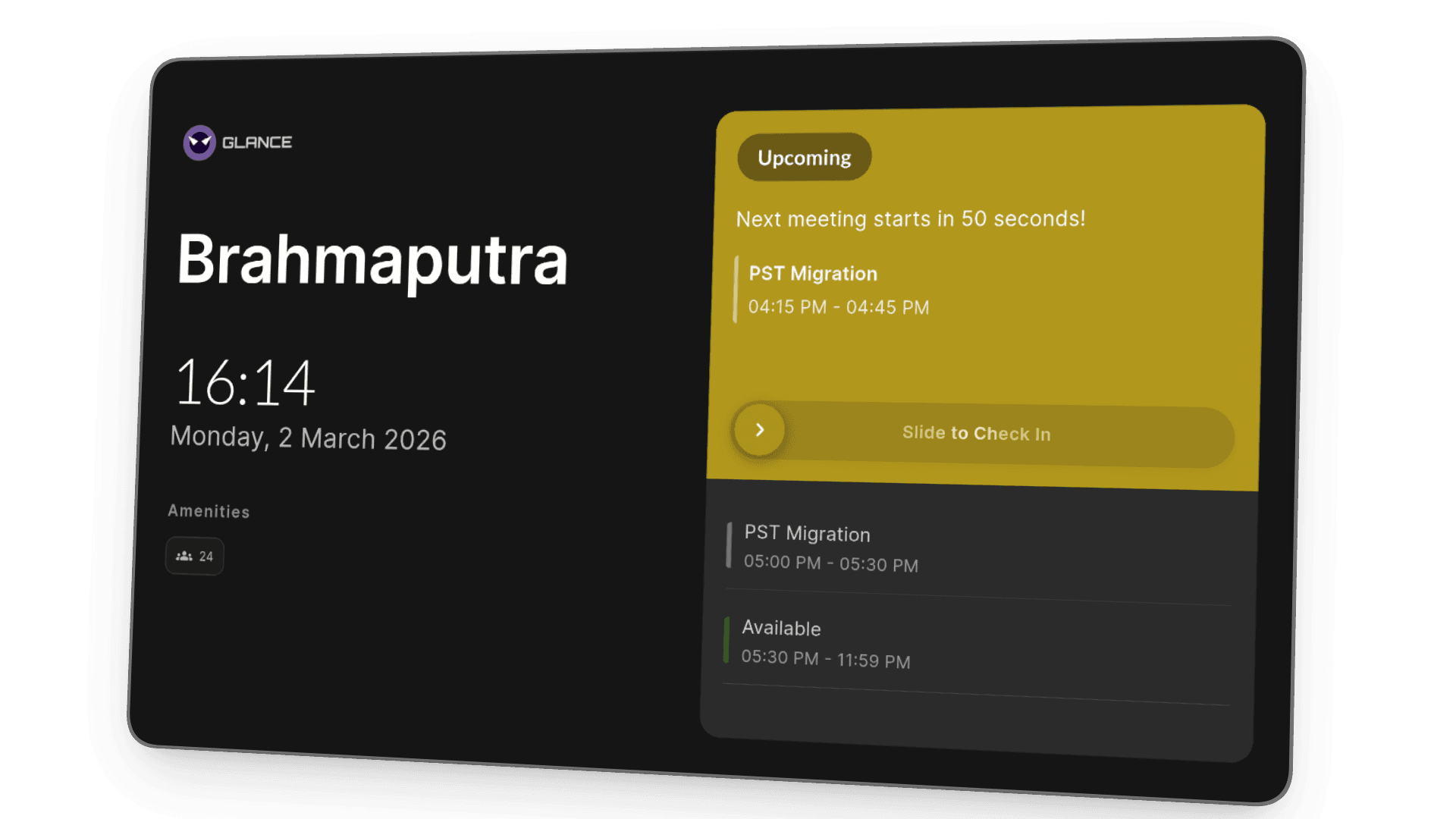
Rooms can be booked instantly when free — directly from the display outside the room. No app, no laptop needed. Glance's smart duration logic automatically caps your booking based on the next scheduled meeting, so rooms never get double-booked.
Automated check-in
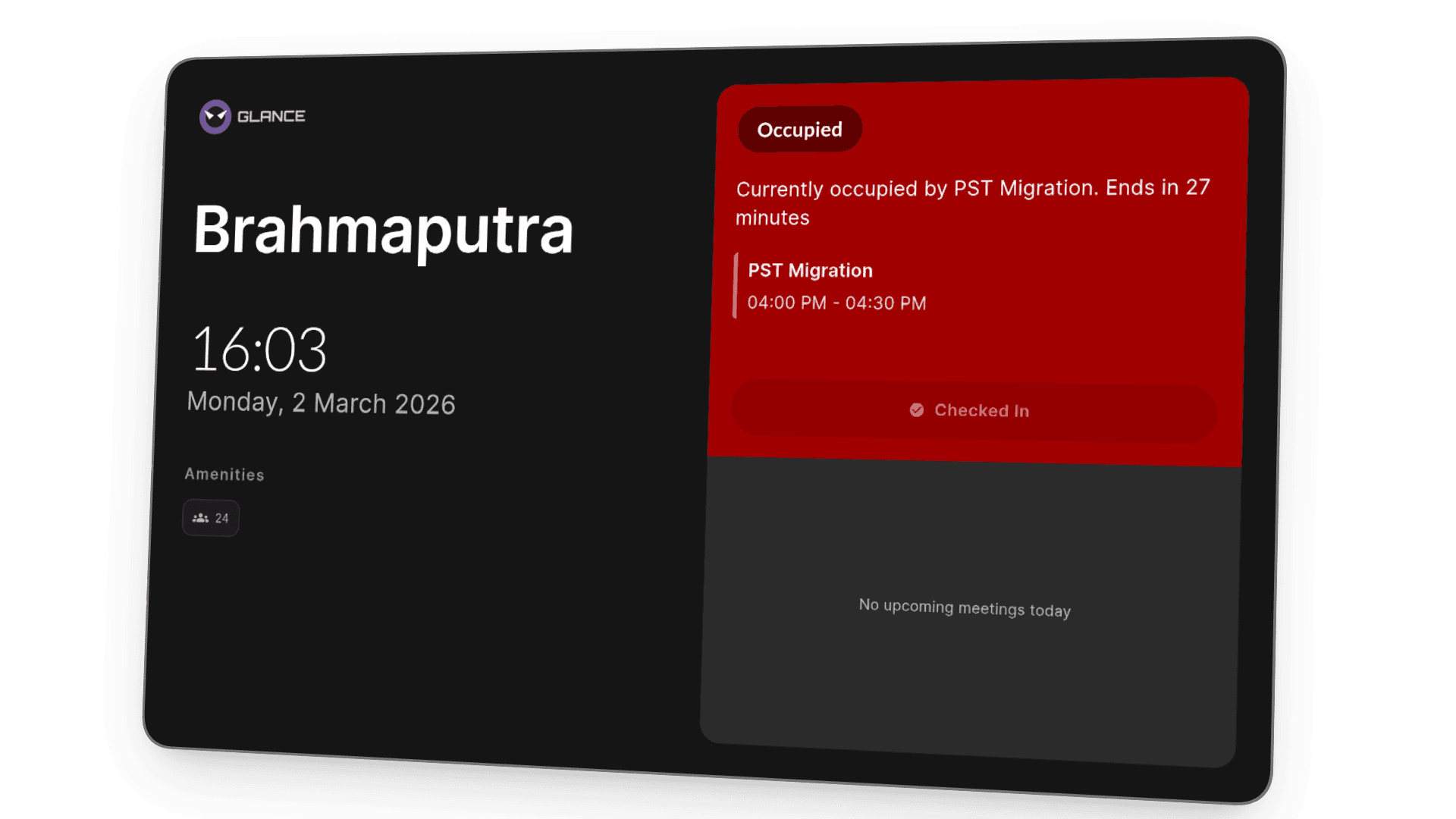
Reservations are confirmed only when attendees check in. If no one checks in, the room is released automatically.
Today's schedule
The full day's schedule is shown outside the room — each slot displays the organizer's name and meeting time, so anyone passing by knows exactly what's happening and when.
Sarah K.
09:00 – 10:00
Mark T.
11:30 – 12:30
Available
James R.
14:00 – 15:00
What teams see
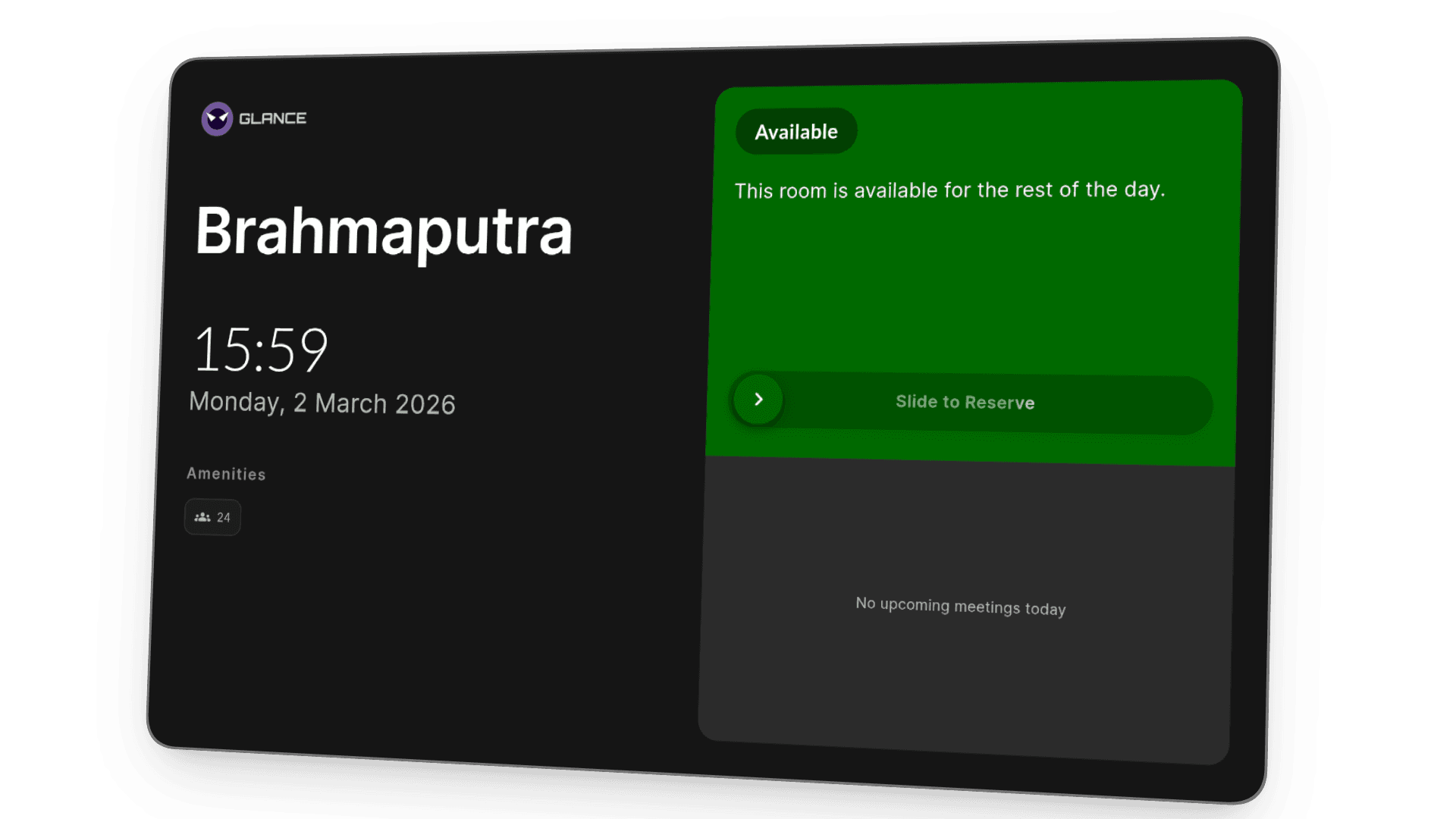
Available
— walk in, book it, done.
When a room is free, the display shows a clear green status. Anyone can walk up and book it instantly — no app, no laptop, no back-and-forth.
How It Works
From unboxing to live display
Mount an Android tablet, connect Microsoft 365, pick your rooms — and Glance is live. No IT tickets, no hardware lock-in.
Mount a Tablet
Mount any Android tablet outside the meeting room door. Glance runs as a full-screen kiosk — no iPad required.
Connect to Microsoft
Sign in with Microsoft 365 via OAuth. No IT ticket, no admin setup — authorised in seconds.
Select Your Room
Choose which meeting room this display belongs to. Name it, assign the floor, and confirm.
Go Live Instantly
The display goes live immediately — showing real-time availability, current booking, and upcoming meetings.
Mount a Tablet
Mount any Android tablet outside the meeting room door. Glance runs as a full-screen kiosk — no iPad required.
Connect to Microsoft
Sign in with Microsoft 365 via OAuth. No IT ticket, no admin setup — authorised in seconds.
Select Your Room
Choose which meeting room this display belongs to. Name it, assign the floor, and confirm.
Go Live Instantly
The display goes live immediately — showing real-time availability, current booking, and upcoming meetings.
Mount a Tablet
Mount any Android tablet outside the meeting room door. Glance runs as a full-screen kiosk — no iPad required.
Connect to Microsoft
Sign in with Microsoft 365 via OAuth. No IT ticket, no admin setup — authorised in seconds.
Select Your Room
Choose which meeting room this display belongs to. Name it, assign the floor, and confirm.
Go Live Instantly
The display goes live immediately — showing real-time availability, current booking, and upcoming meetings.
Deployment Models
Your infrastructure, your rules
Glance is the only room display platform built for both models from day one — not an afterthought.
SaaS
We host. You focus.
Instant setup, zero infrastructure. Your rooms are live in minutes — hosted, updated, and scaled by us.
- Up and running in 15 minutes
- Automatic updates & backups
- Monthly or annual subscription
- Available on Azure Marketplace
- 99.9% uptime SLA guaranteed
- Dedicated onboarding support
Self-Hosted
You own it. Completely.
Deploy on your own infrastructure. Full data sovereignty, no recurring fees, and complete control over every detail.
- Docker or Kubernetes deploy
- Data never leaves your network
- One-time license fee
- Full source access on Enterprise
- SSO / Active Directory
- GDPR & SOC 2 ready out of the box